
GemiHub
AI That Acts, Not Just Answers
GemiHub is an AI assistant that reads your files, finds what you need, and gets things done on its own. Read PDFs, EPUBs, and notes with quote-anchored memos, connect external tools, search across your documents by meaning, and automate repetitive tasks — all while keeping your data in your own Google Drive.
Read & Memo
Open PDFs, EPUBs, Markdown, and images, select a passage, and attach a memo right where you read. Quotes are highlighted and jump both ways. Notes are saved as plain Markdown in your Drive.
Personal Dashboards
Build a home screen from file viewers (Markdown, PDF, EPUB, images), memo lists, cards, editable tables, kanban boards, workflow output, and web embeds.
AI Chat
Have a conversation with AI that can read your files, search the web, generate images, and use external tools — all on its own.
Ask Your Files
Search your Drive files by meaning, not just keywords. Search for "meeting" and get results mentioning "conference" too.
Notes & Editor
Jot down notes in Markdown. Save ideas and meeting notes straight to Drive.
Workflows
Just describe what you want and AI builds an automation workflow. Works with Drive, the web, and external services.
Obsidian-Friendly
Use Obsidian-compatible Canvas files and sync notes with the GemiHub Drive Sync plugin through the same Drive metadata.
Plugins
Add new features from GitHub. Plugins can use AI and Drive, so you can build custom tools and advanced automation.
One-Click Publishing
Turn Drive files into public pages, or use Business features for CDN-hosted HTML pages, custom domains, and AI-assisted web building.
Works Offline
All files cached in your browser for instant access — even without internet. Edit offline, then push changes to Drive with one click. Conflicts are detected automatically.
Encrypted Secrets
Store API tokens, passwords, and other secrets as RSA + AES encrypted files in your Drive, organized into folders and searchable by name or description — without ever exposing the value.
Your Data, Your Control
No external database. Everything stored in your Google Drive. Supports encryption and self-hosting.
See It in Action
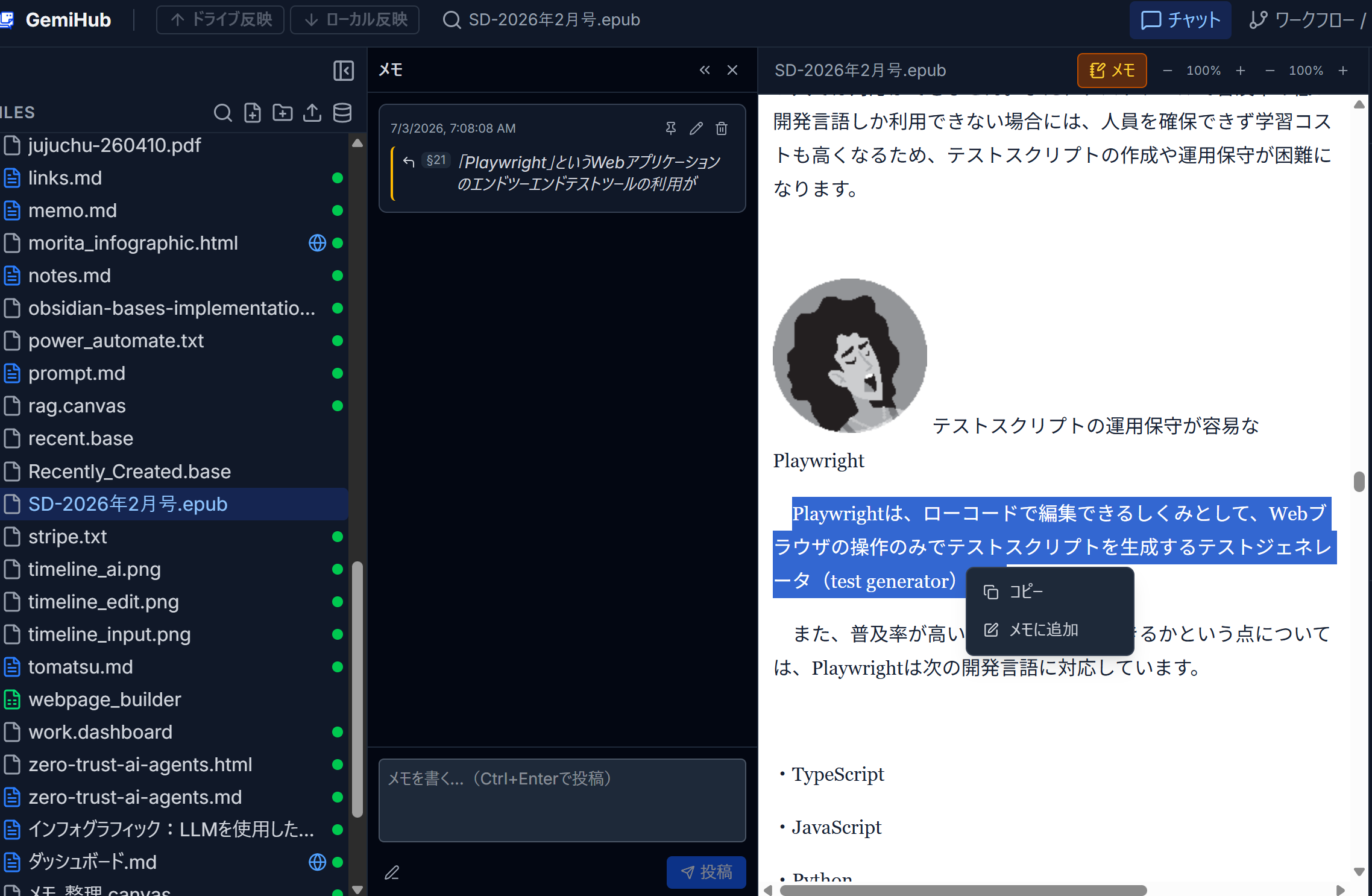
Read, Highlight & Memo
Read PDFs and EPUBs in the built-in viewers, select a passage, and add a memo. Quote-anchored highlights link both ways between the document and its memo timeline.
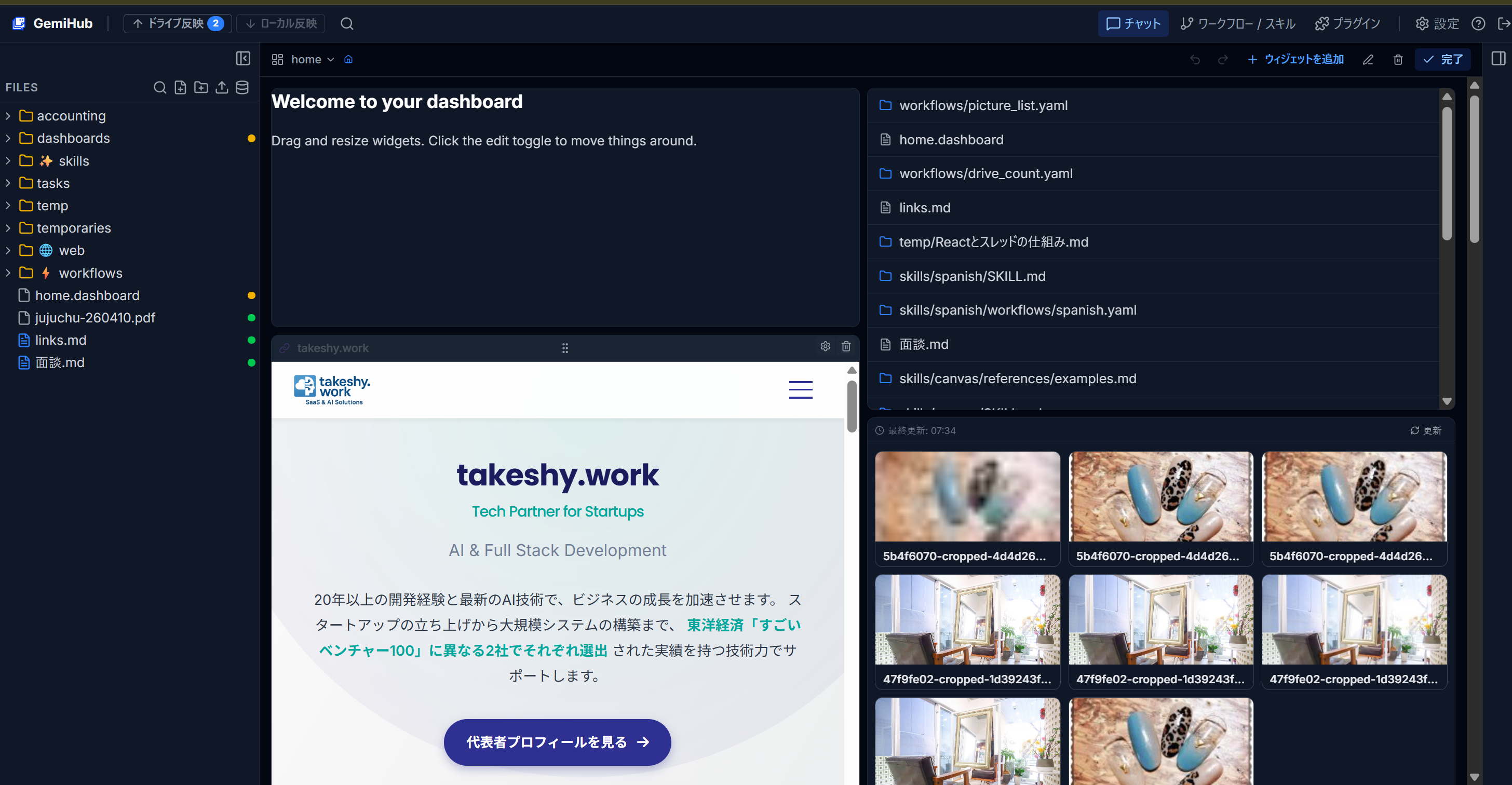
Personal Dashboard
Create a home screen with file viewers (Markdown, PDF, EPUB, images) with per-document memos, memo lists, cards, tables, kanban boards, workflow output, and web embeds. Dashboards are saved as plain .dashboard files in Drive.
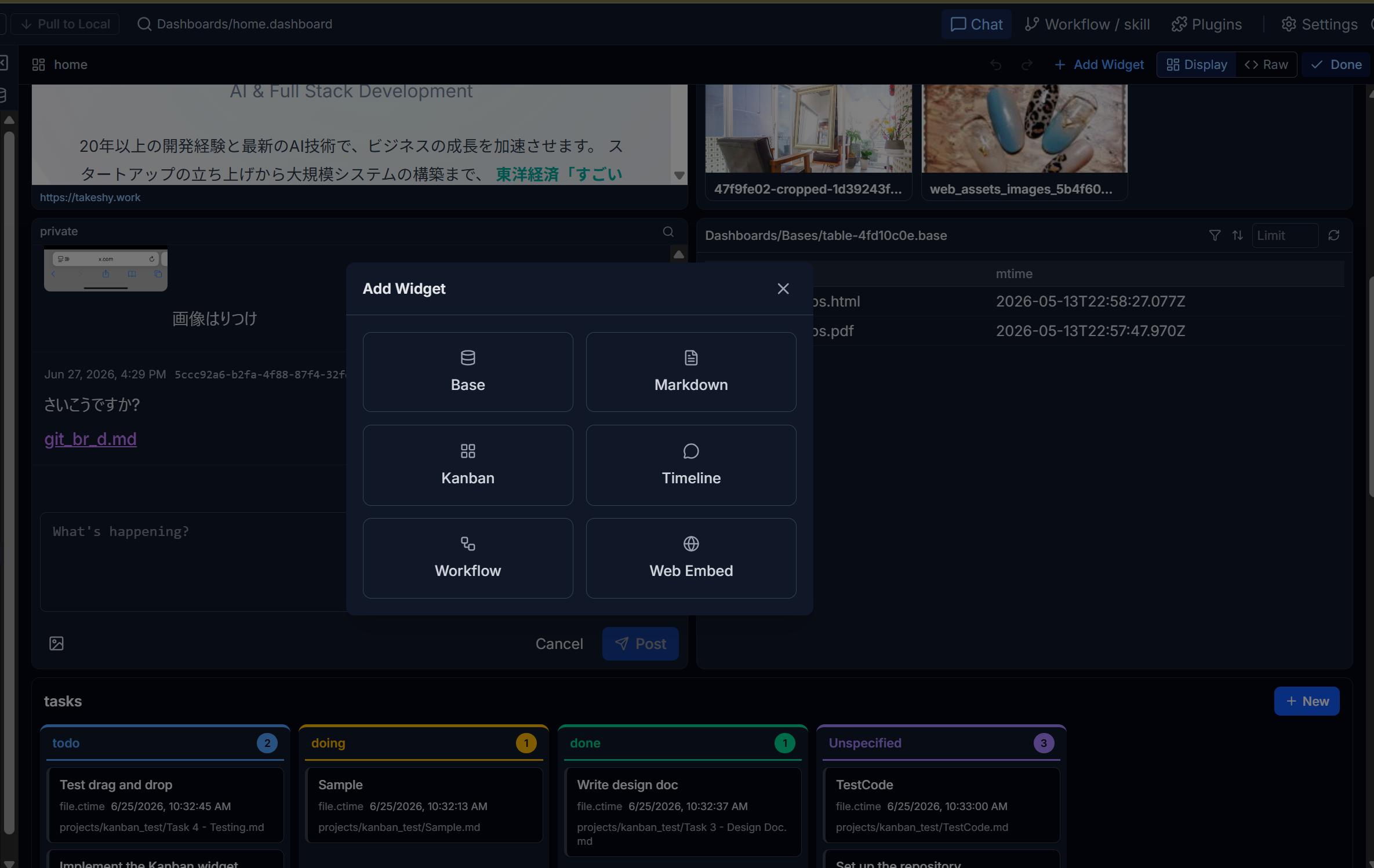
Dashboard Editing
Toggle edit mode to add widgets, drag and resize panels, configure sources, undo or redo layout changes, and switch between rendered and raw YAML views.
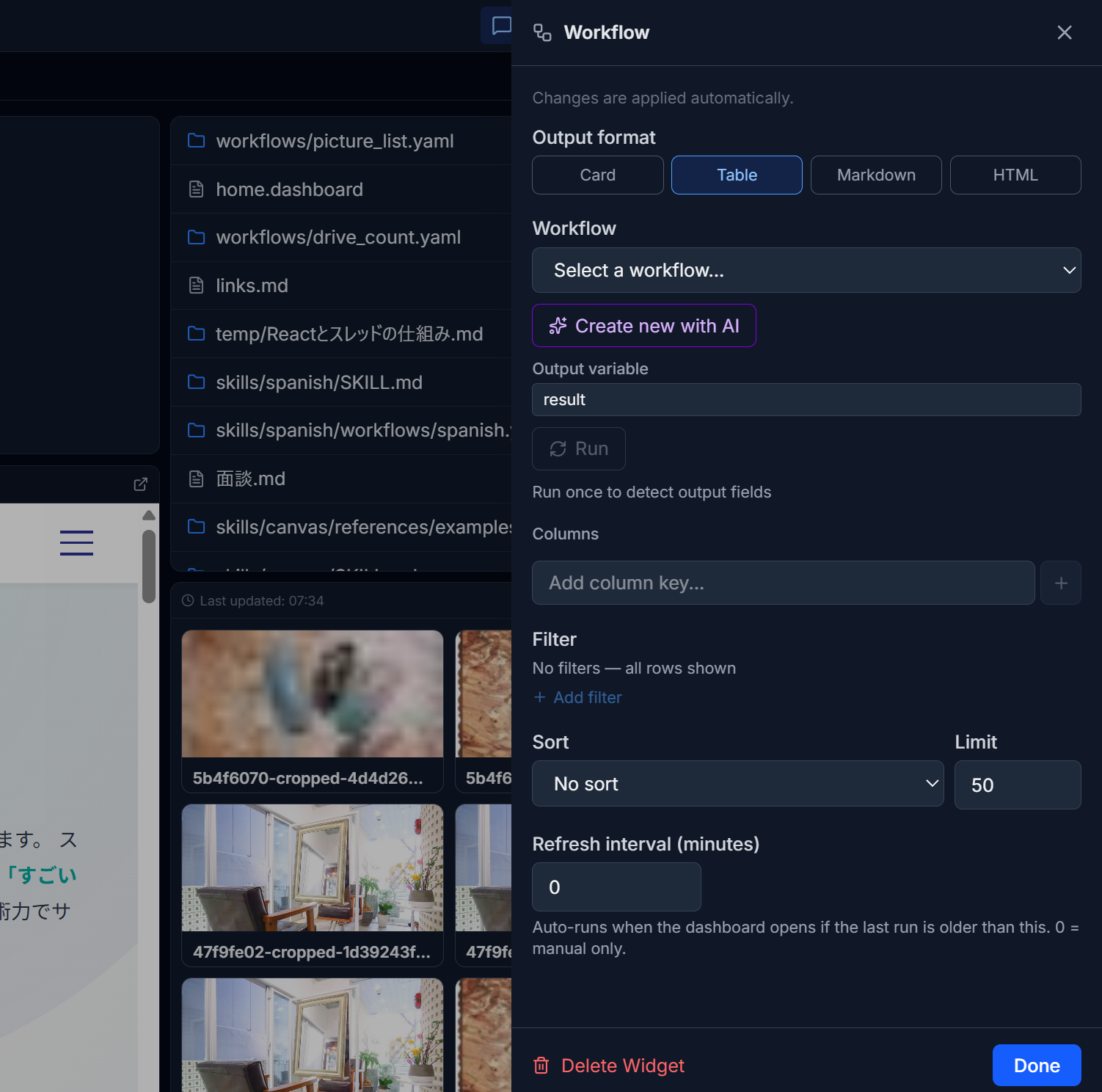
Workflow Widgets
Run a workflow from a dashboard and render the result as cards, a table, Markdown, or HTML. Optional auto-refresh keeps generated reports current.
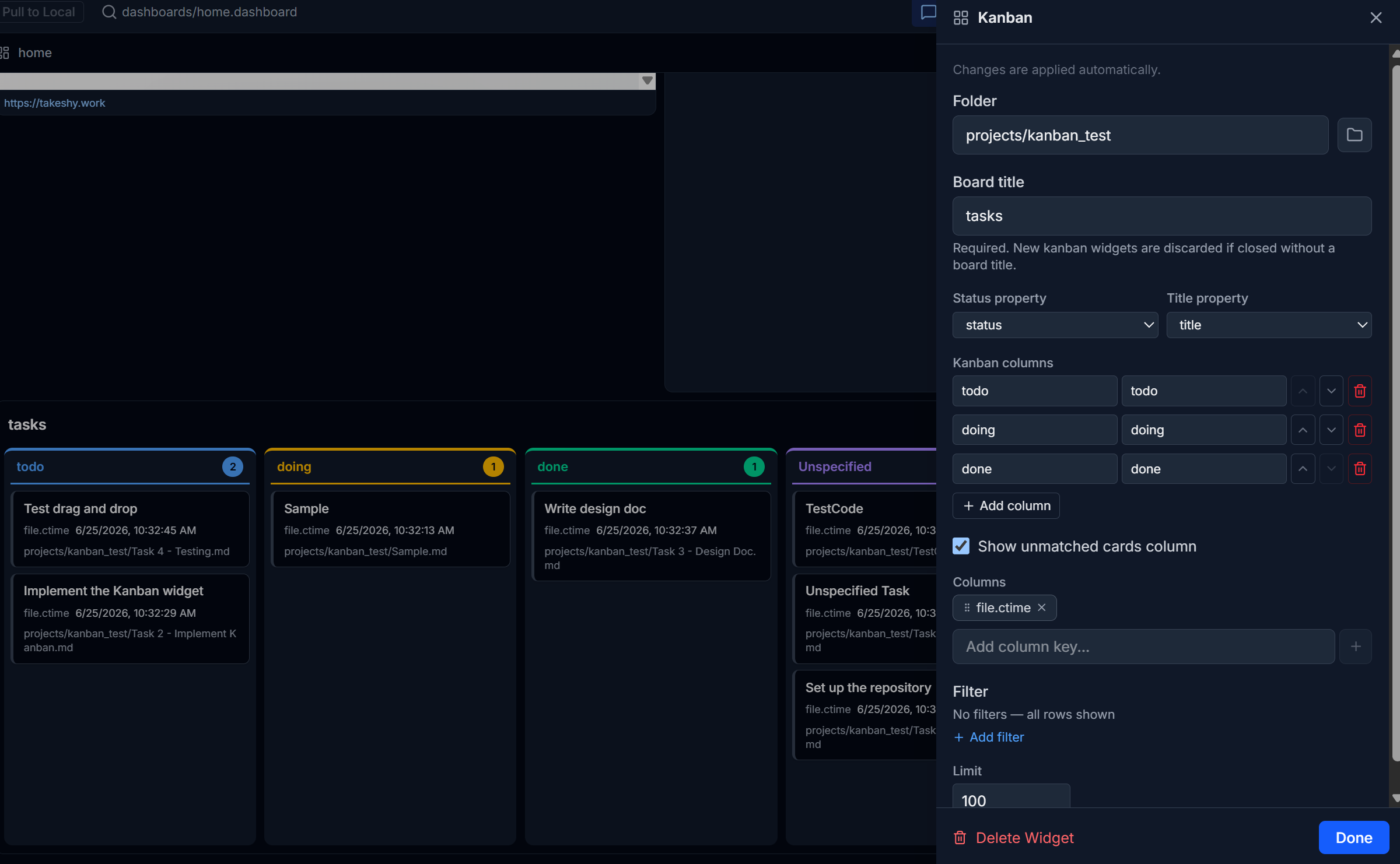
Kanban Boards
Turn Markdown files in a folder into a kanban board. Create cards from the board header or drag cards between columns to update frontmatter in Drive.
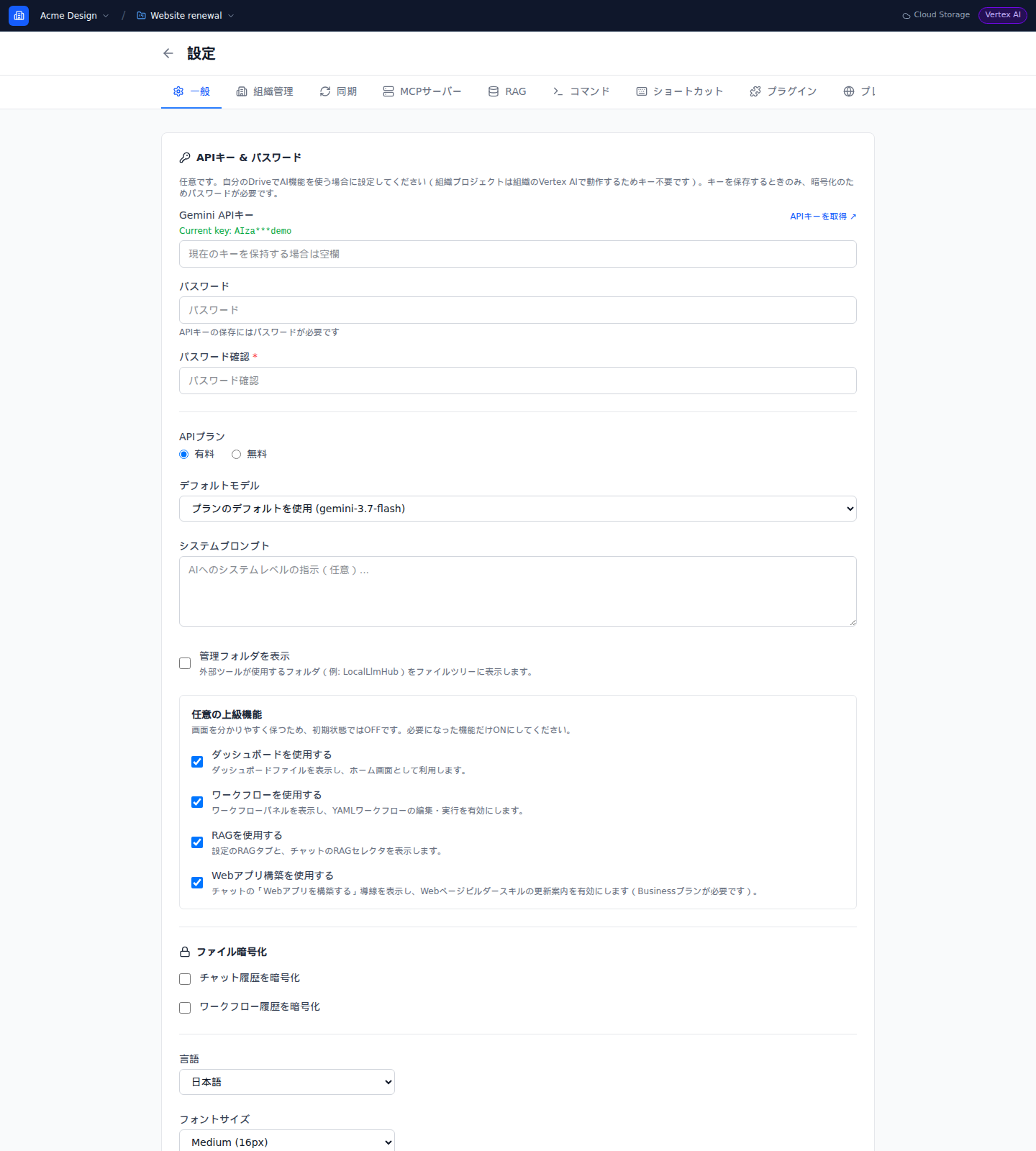
Organization Projects
Switch between My Drive and shared organization projects while keeping the active workspace visible.
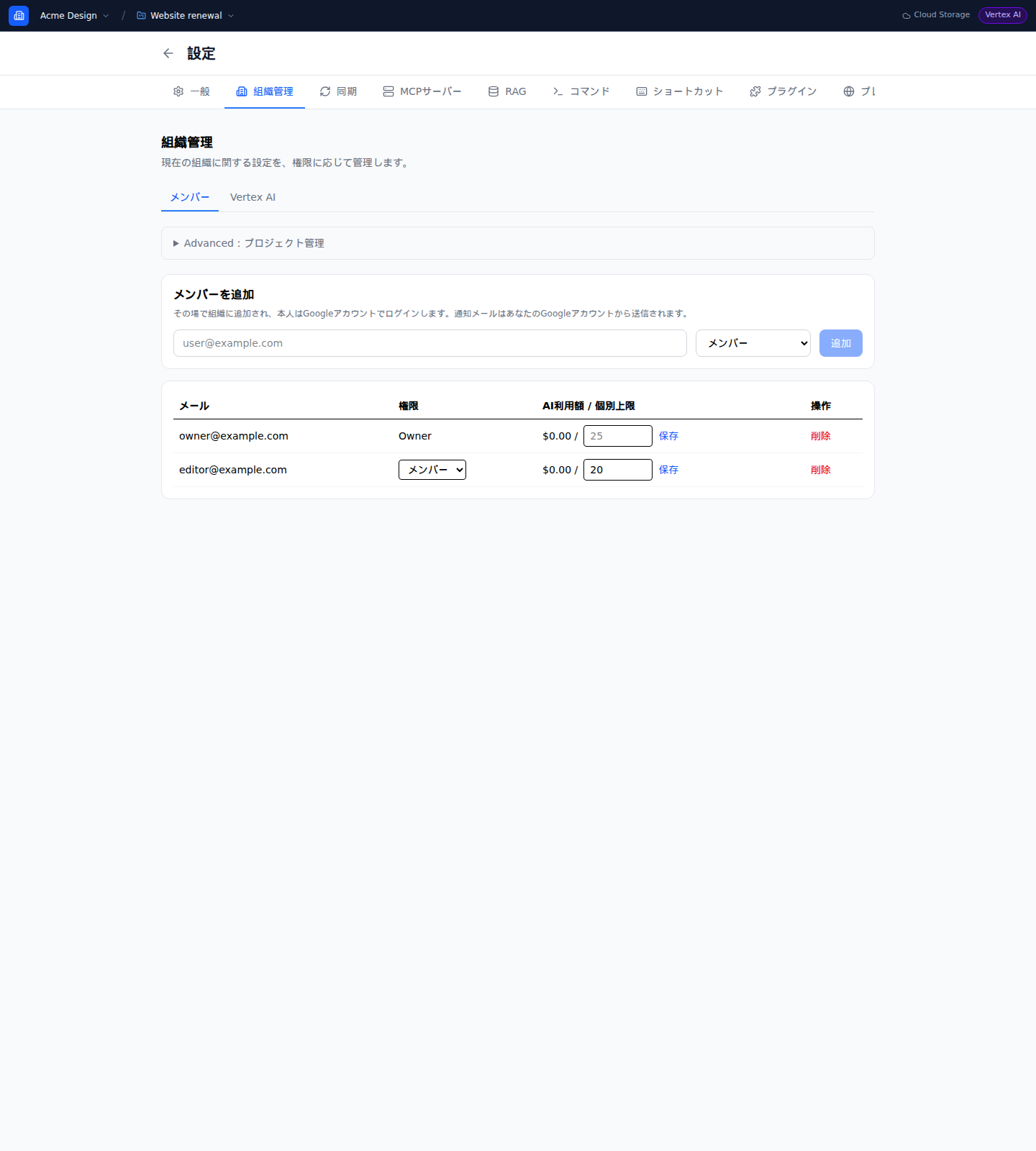
Organization Management
Manage members, roles, per-member AI budgets, projects, and storage from one settings screen.

Organization Project Sync
Sync project files through managed Cloud Storage with project-aware status and controls.
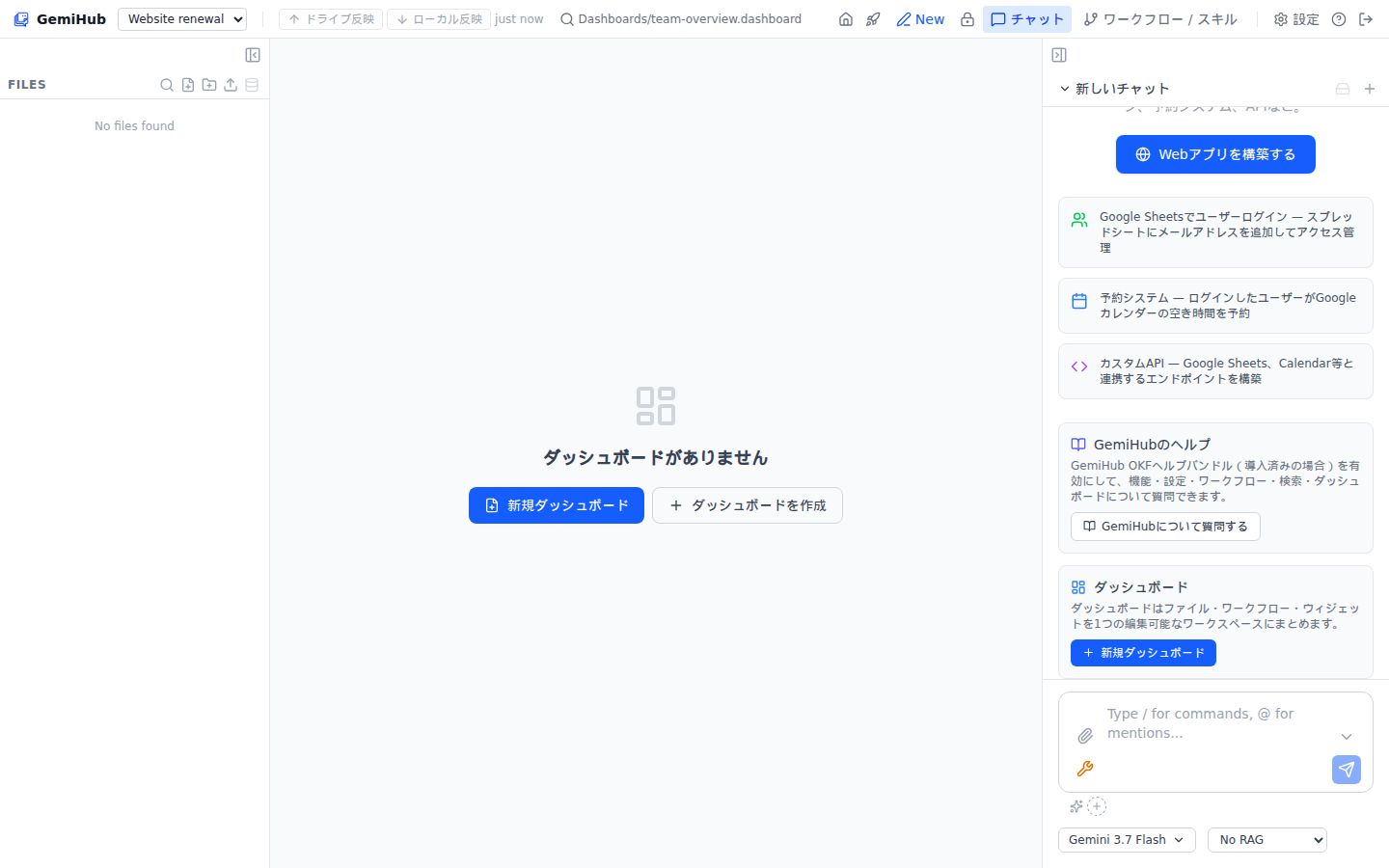
Shared Project Dashboard
Use dashboards inside a shared project with the active organization and project always in view.
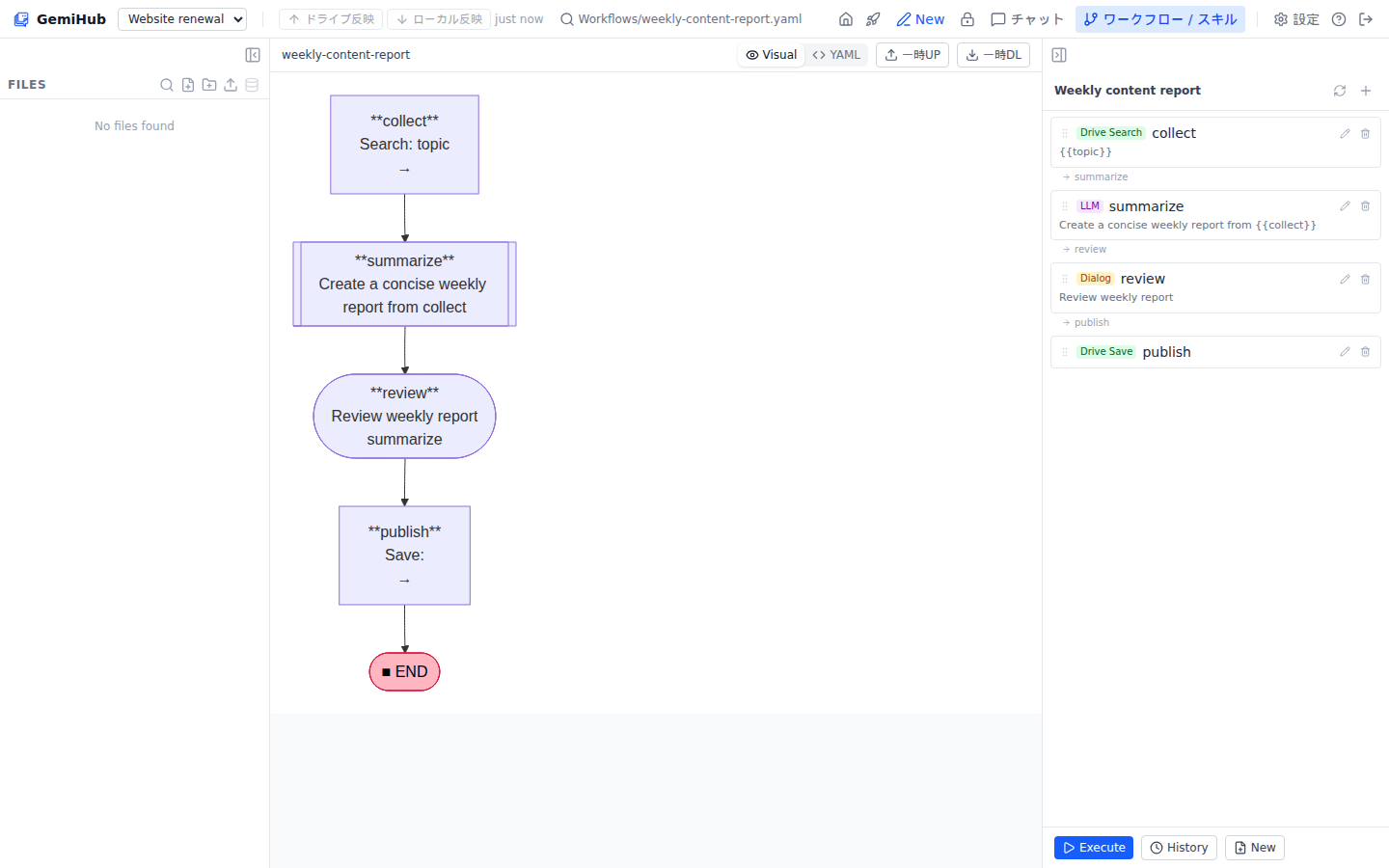
Organization Workflows
Build and run workflows scoped to the active project with organization-managed Vertex AI.
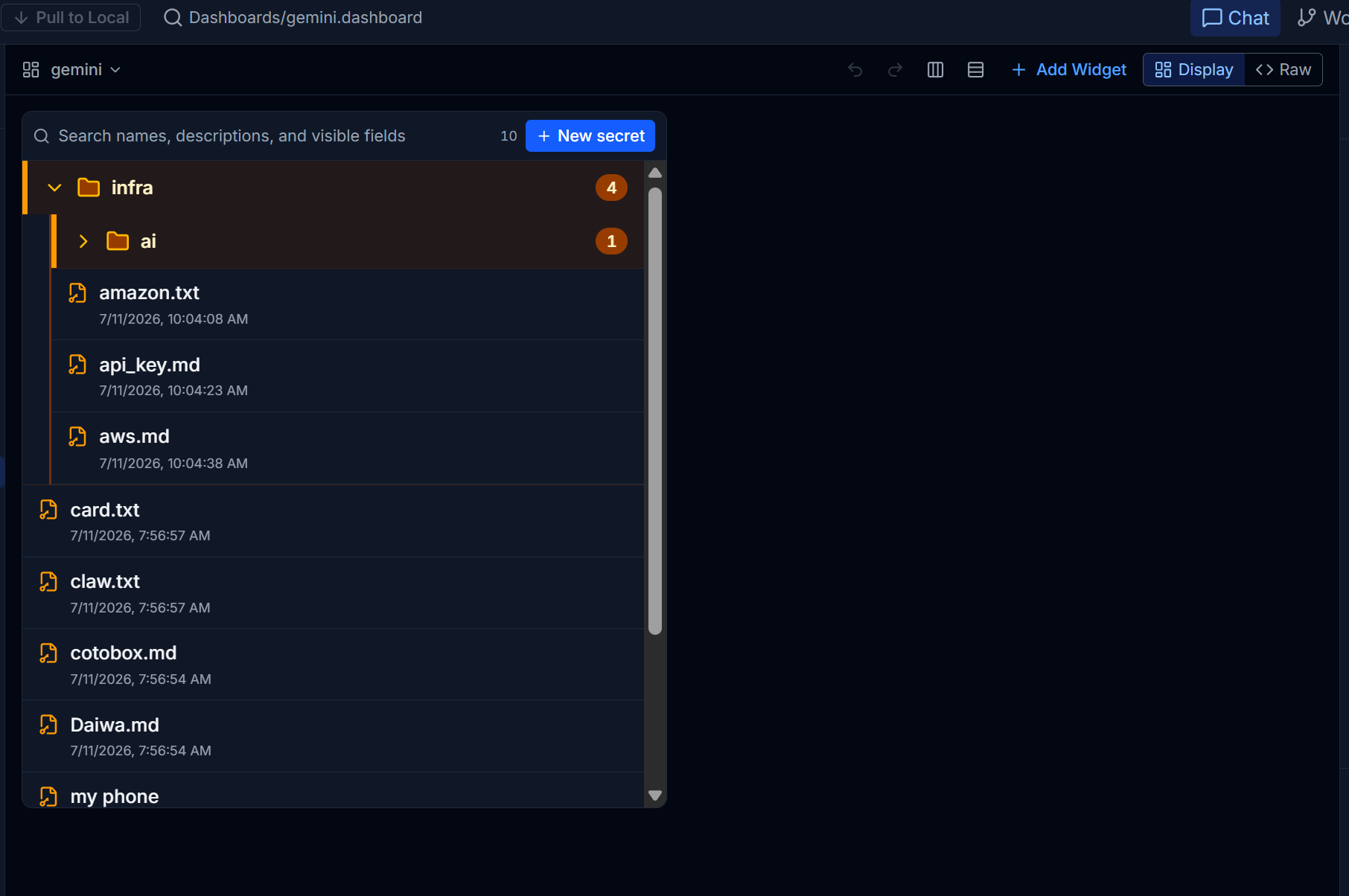
Secret Manager
Create, browse, unlock, copy, and update RSA + AES encrypted values from a dashboard widget. Organize secrets into folders and search by name, description, or visible metadata without ever exposing the encrypted value.
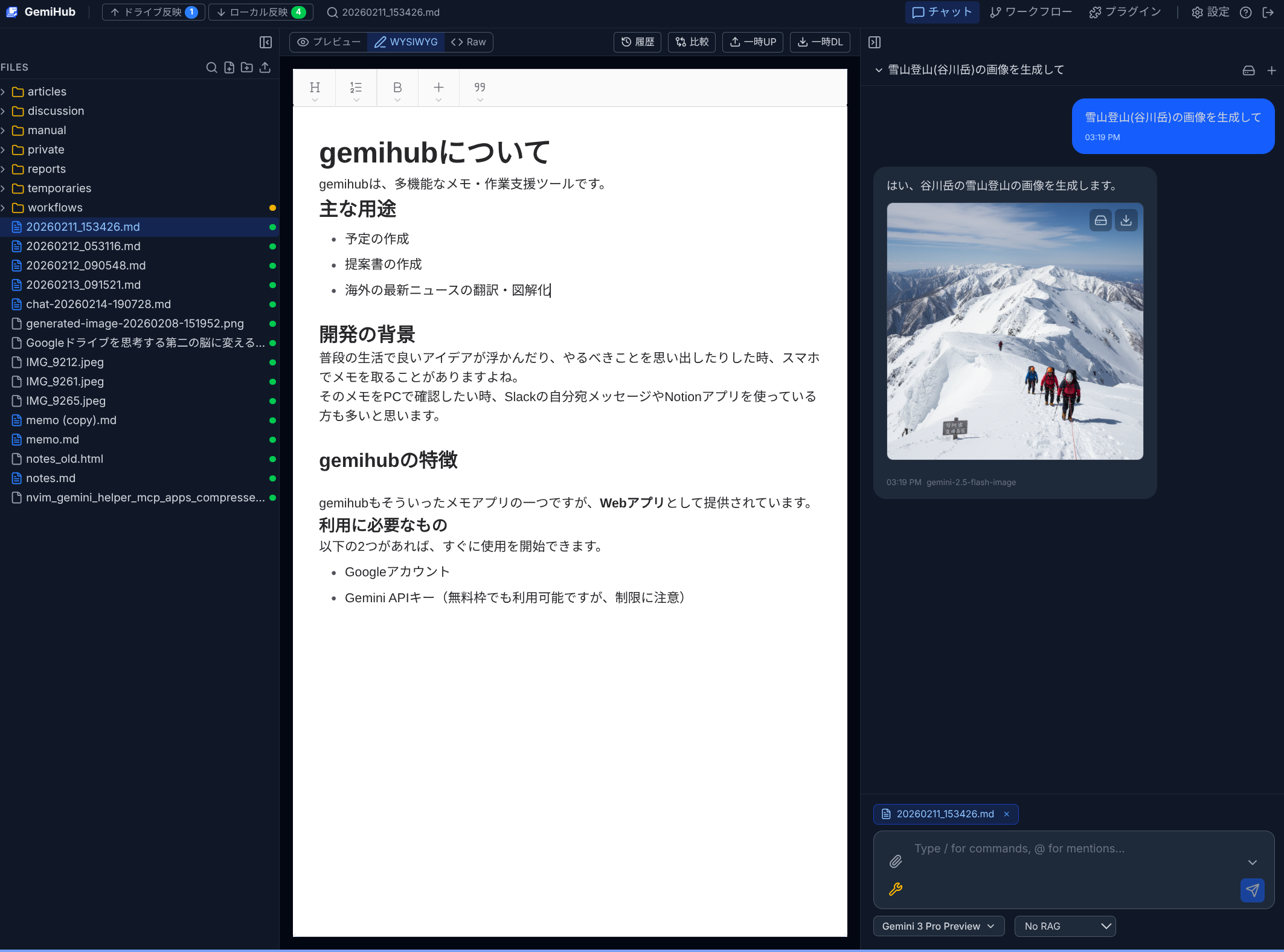
AI Chat & File Management
Write notes in a rich editor and let AI proofread or summarize them. Chat with web search, file search by meaning, image generation, and connections to external tools.
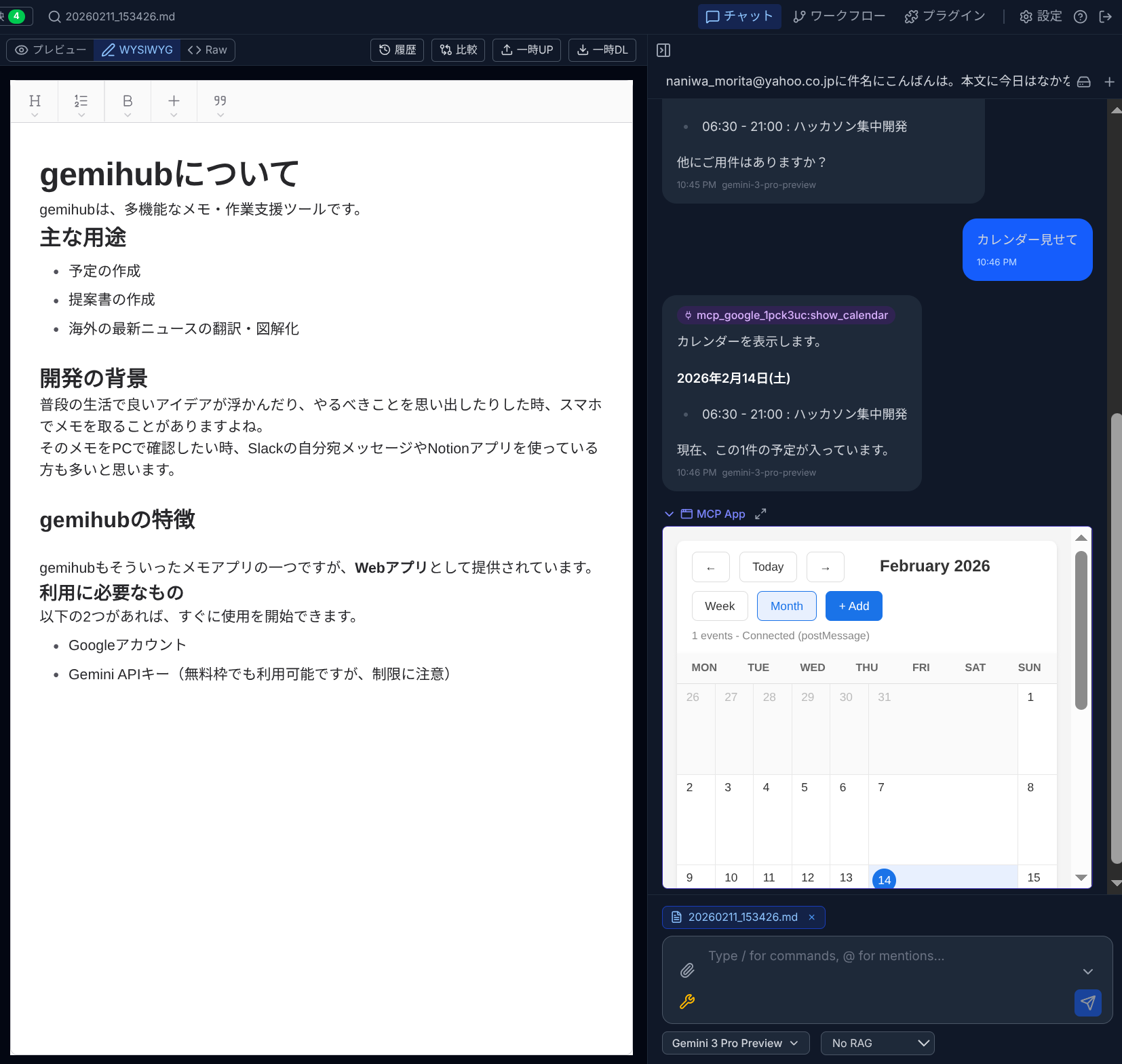
MCP Apps
Connect external apps via MCP (Model Context Protocol). The AI discovers available tools automatically and uses them in your conversation — calendars, databases, and more.
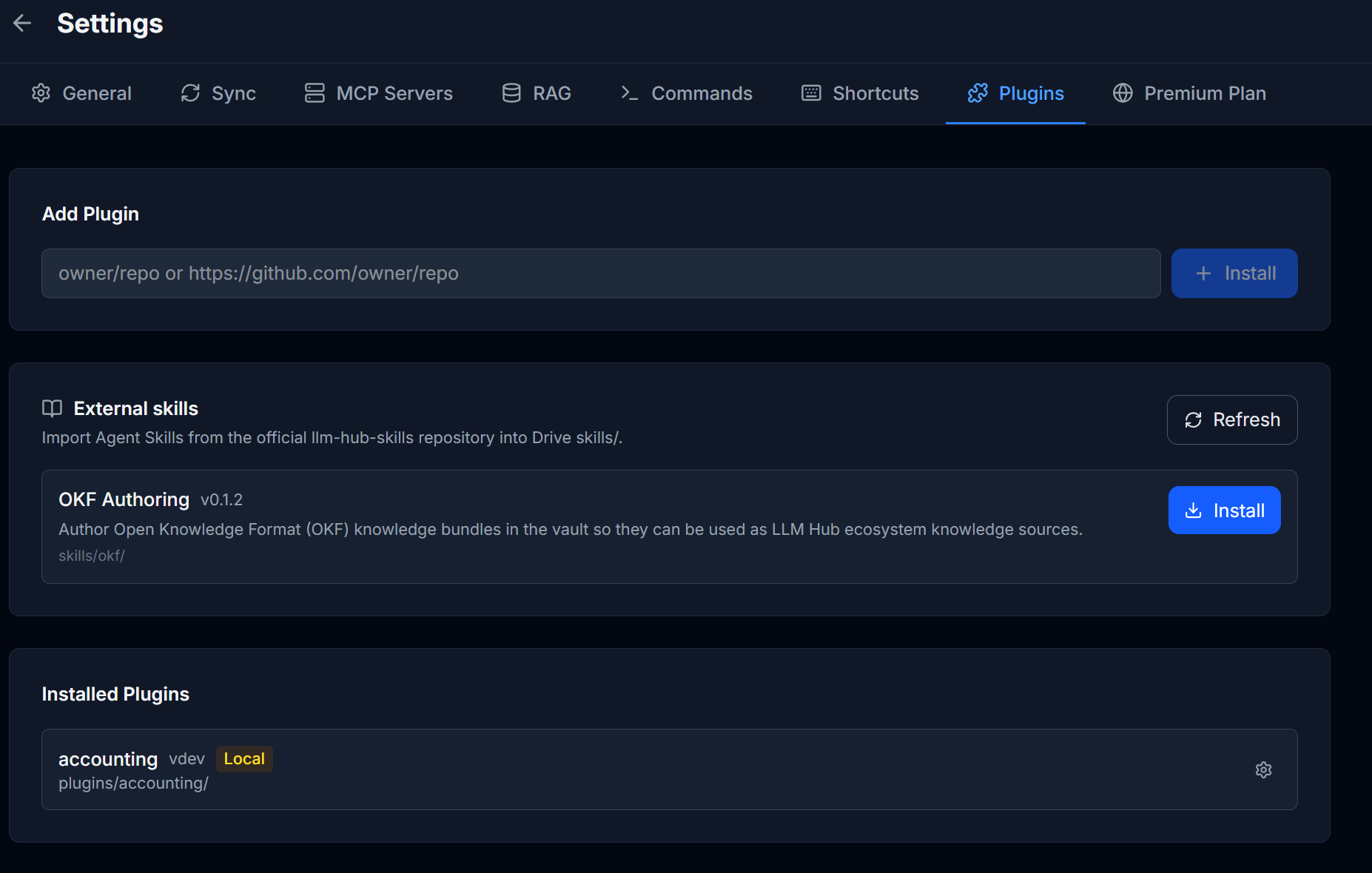
External Skills
Install Agent Skills from the official catalog with one click — like OKF Authoring, which teaches the AI to turn your notes into knowledge bundles.
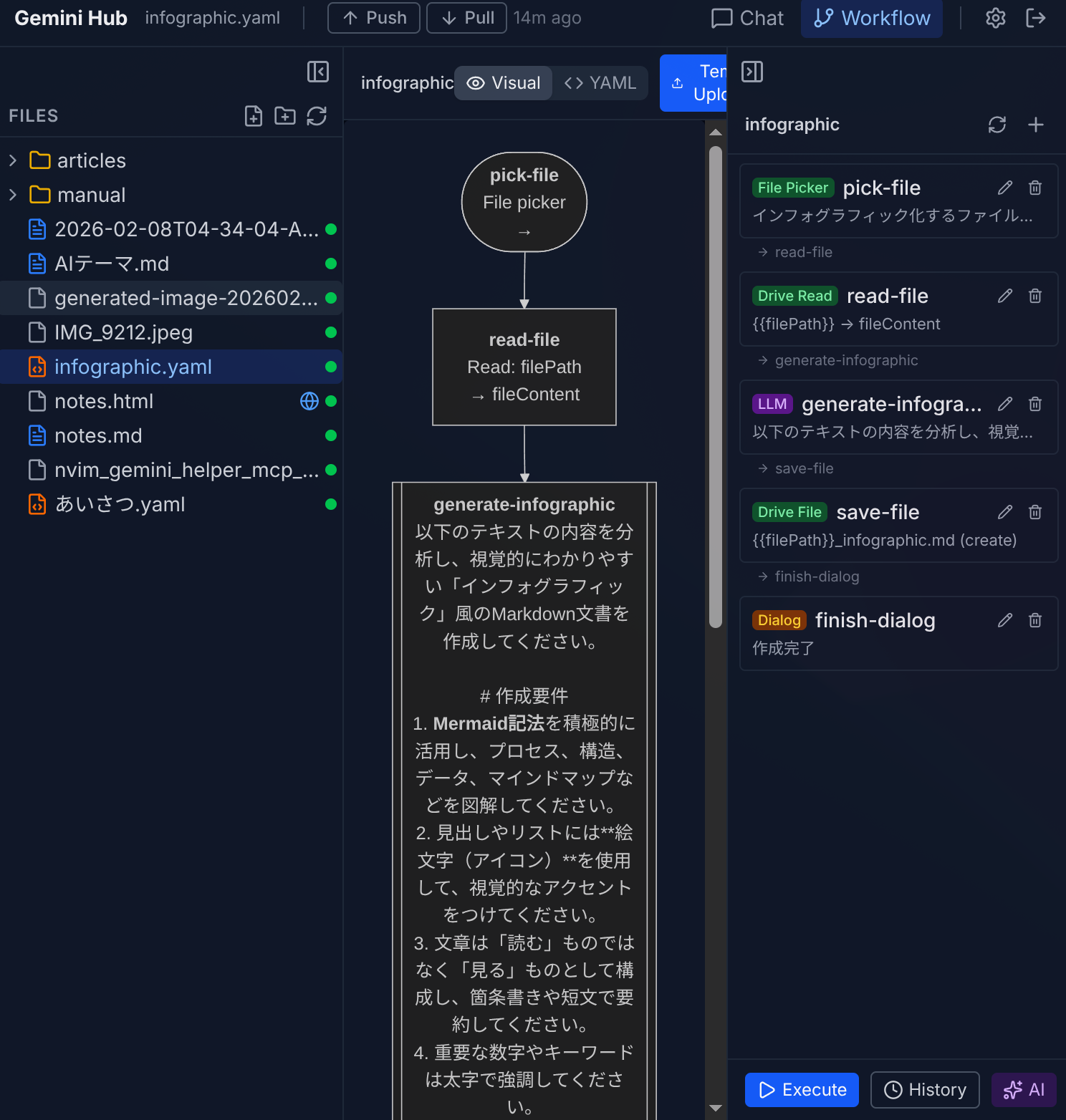
Workflow Builder
Build automation with a drag-and-drop editor. Connect AI prompts, Drive operations, and web requests into a single flow.
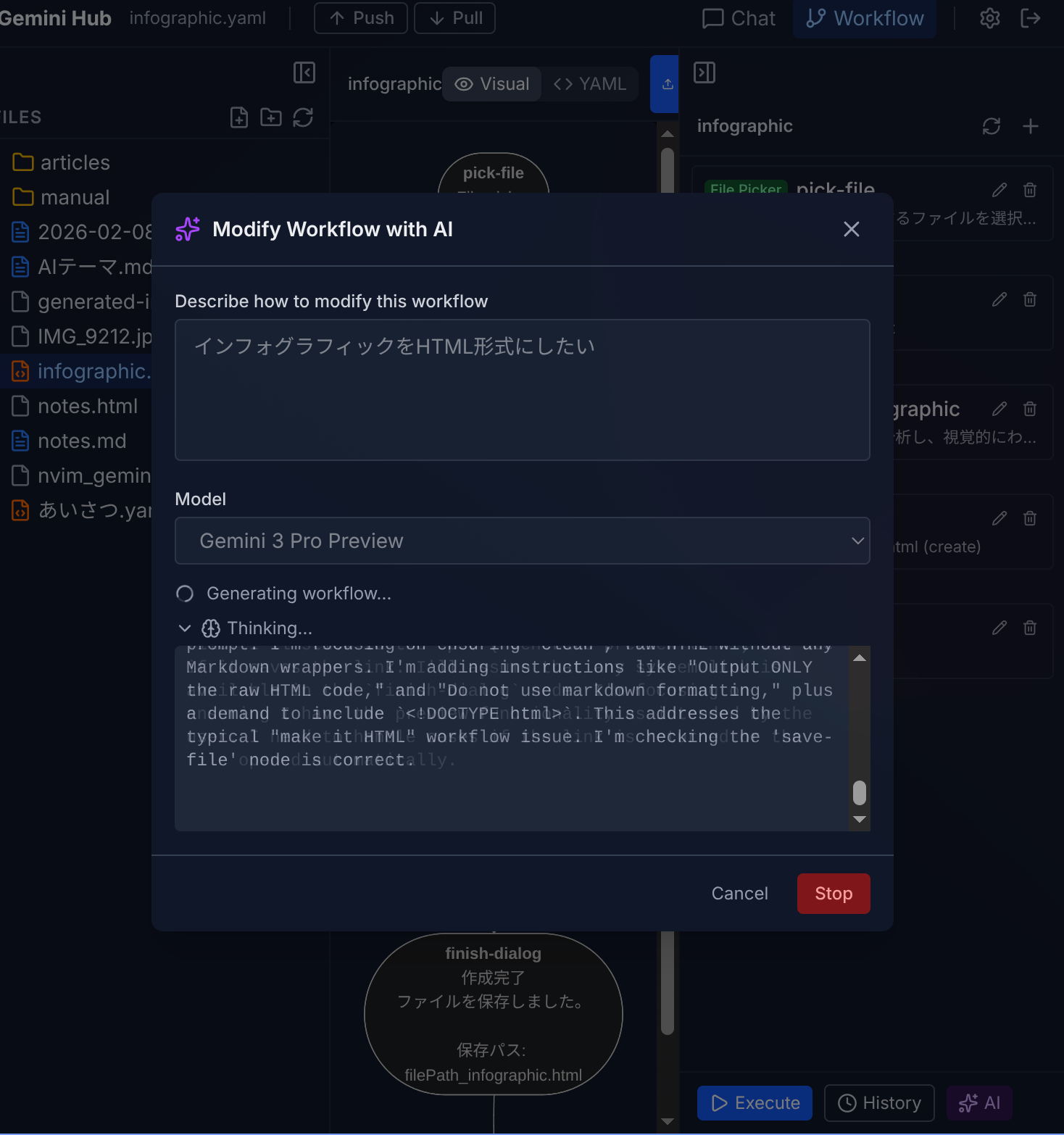
AI Workflow Generation
Describe what you want in plain language and AI creates the workflow for you, with a live preview.
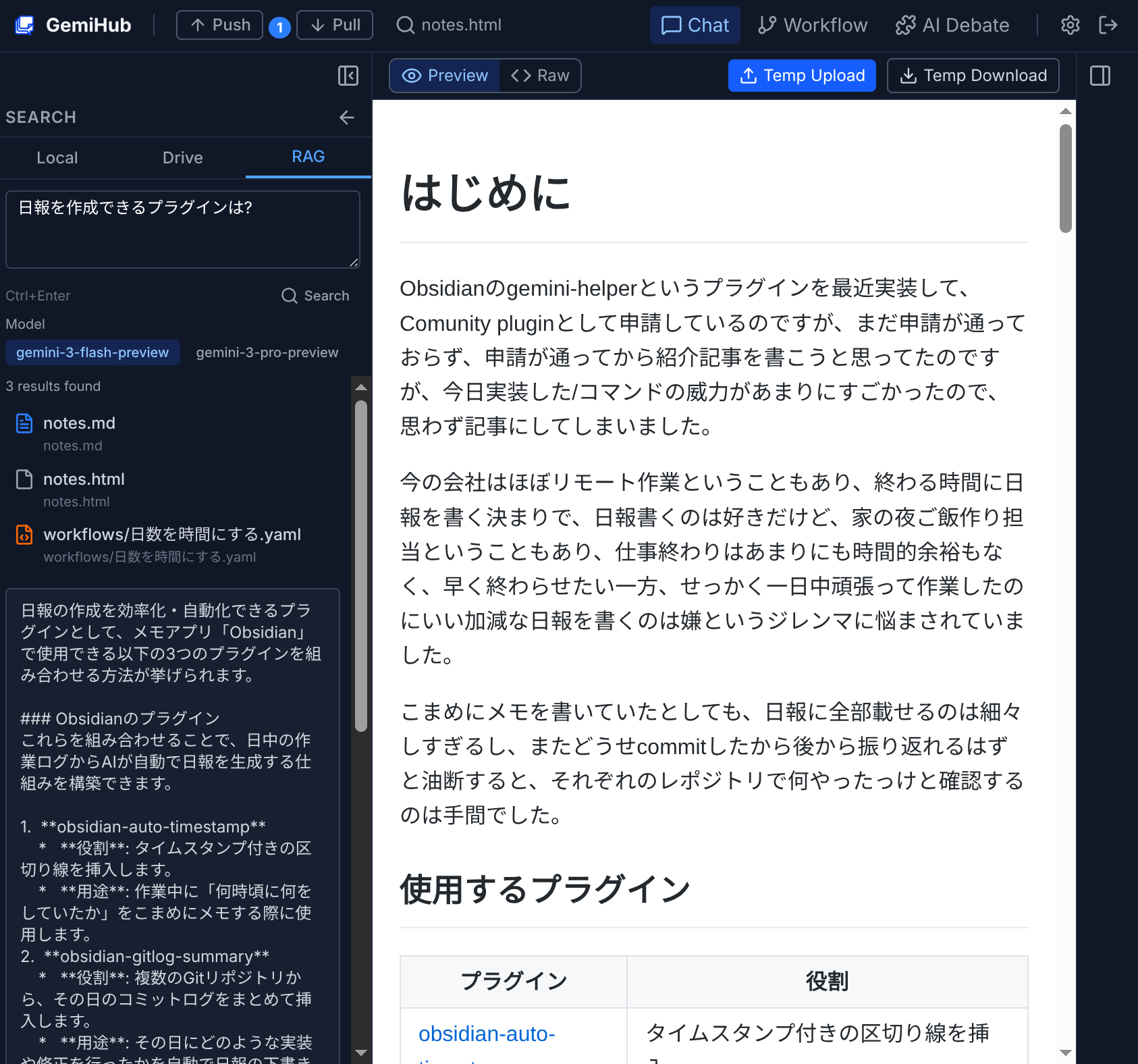
Smart File Search
Sync your Drive files to meaning-based search. Ask questions naturally and get answers drawn from your own documents.
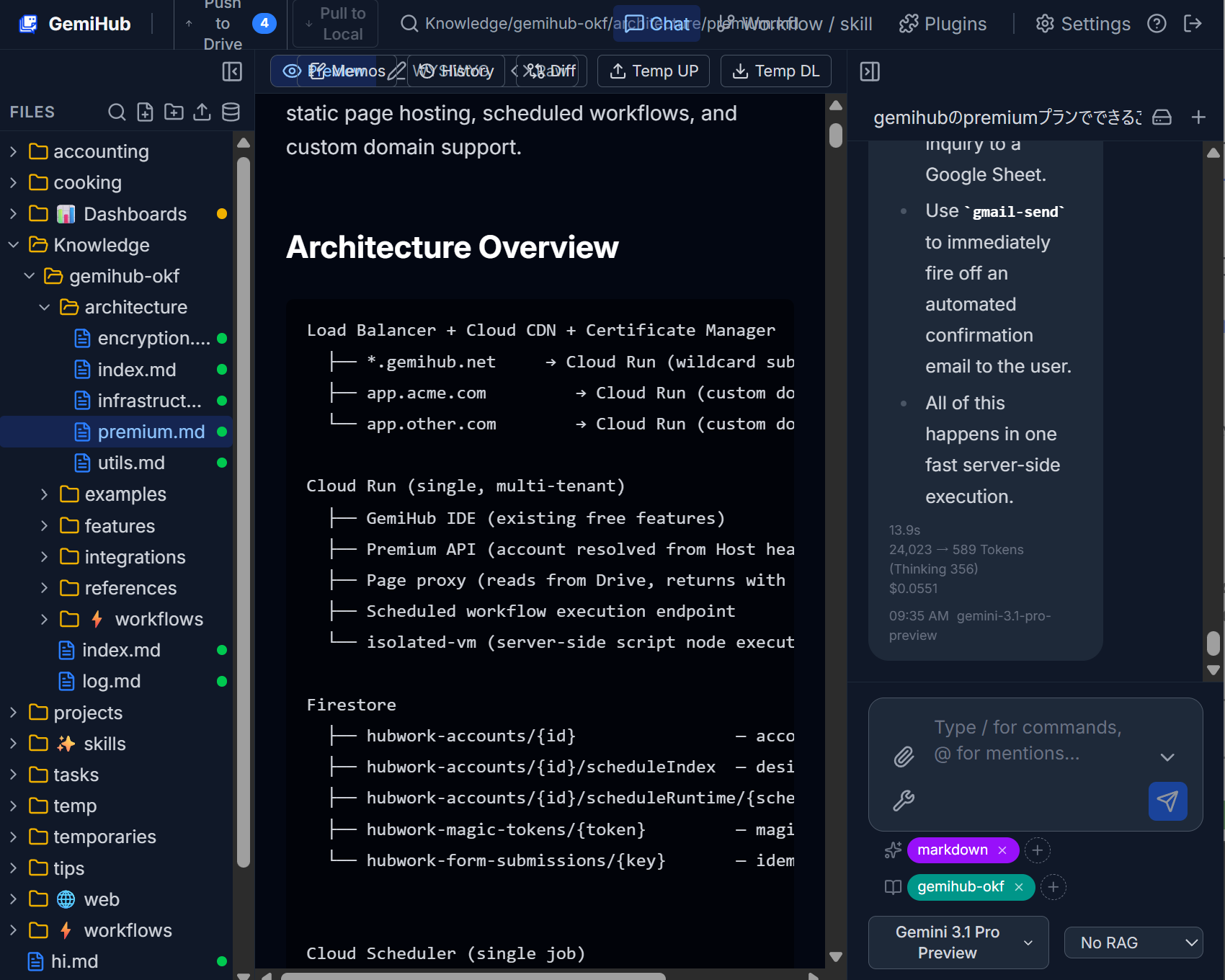
OKF Knowledge Bundles
Keep curated Markdown knowledge bundles (OKF) in Drive and switch them on per chat — the AI answers with your domain knowledge always in context.
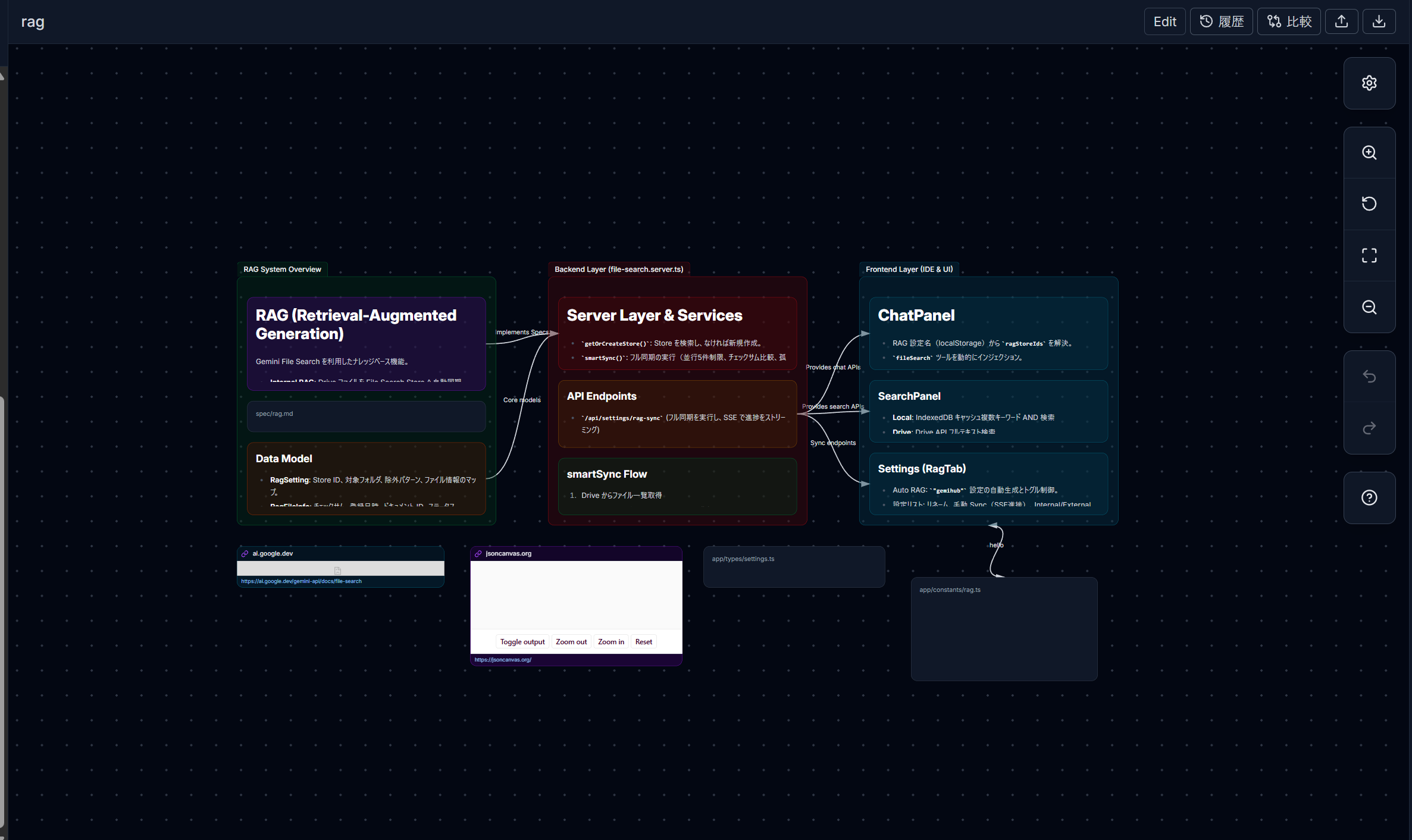
Obsidian-Compatible Canvas
Open .canvas files with text cards, groups, file previews, web pages, and curved links. Edit mode lets you arrange cards and connections.
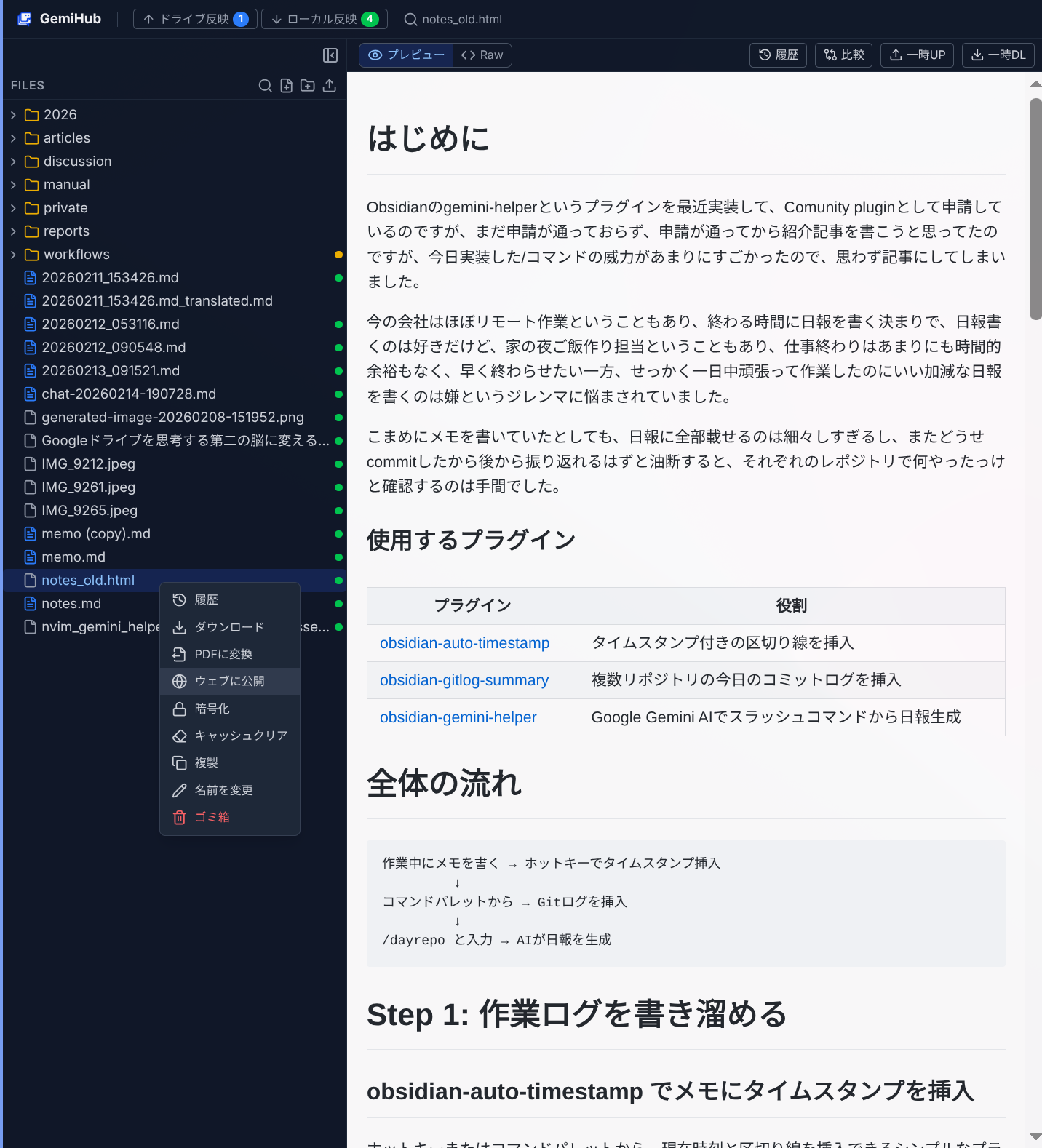
One-Click Publishing
Turn any Drive file into a public web page. Share via URL with no hosting required.
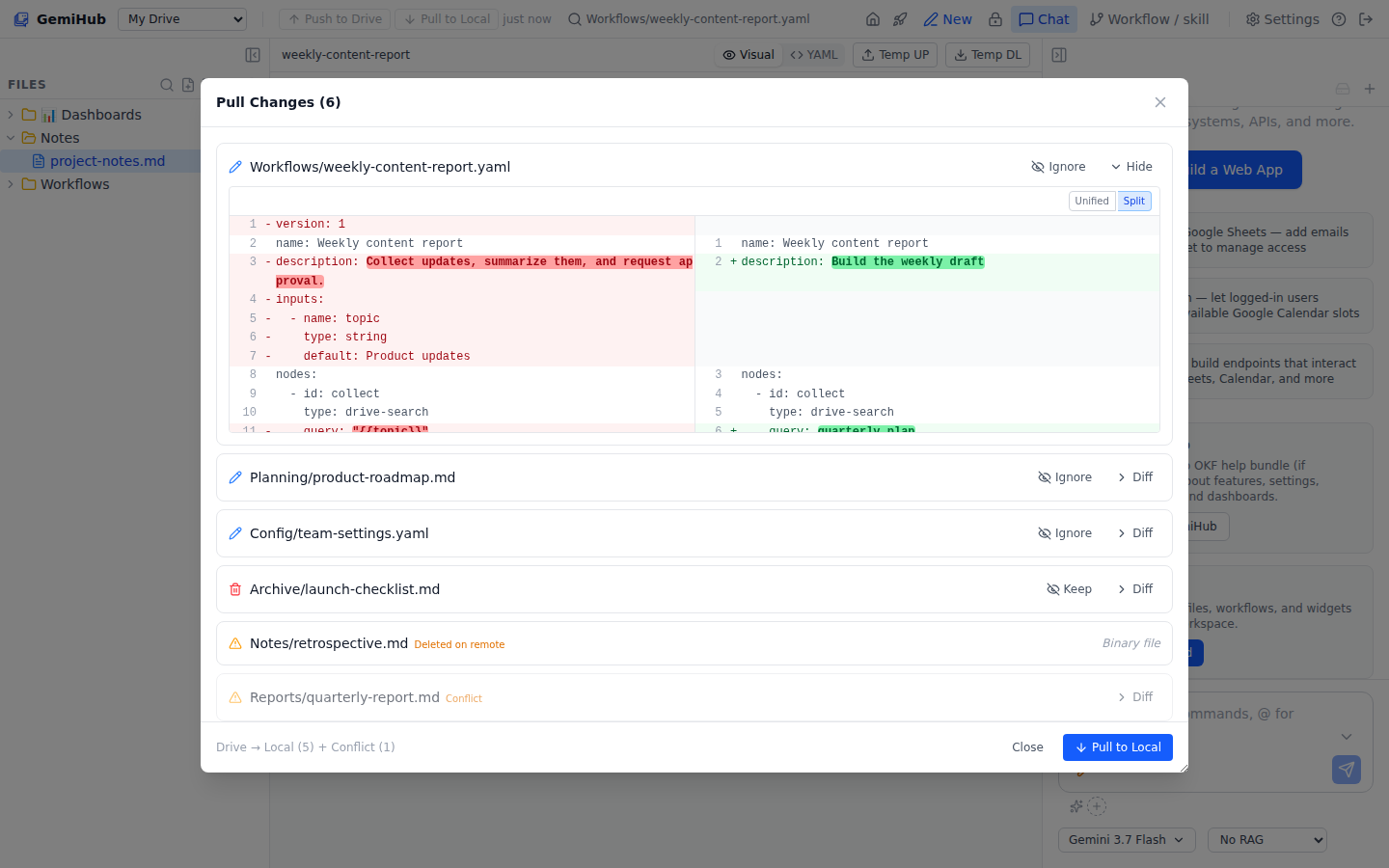
Push/Pull Sync
All data lives in your Google Drive. Push and pull changes with automatic conflict handling and diff previews.
Premium Plans
GemiHub is useful on the free plan by default. Paid plans are for features that need heavier server-side processing, such as streaming files over 20 MB, Gmail integration, or temporary upload/edit URLs. Choose Pro for scheduled workflows and web page hosting on your own Drive, no organization needed. Choose Business to work as a team — it provisions an organization with a shared project, Vertex AI with a monthly budget included, and shared storage — plus AI-assisted web service publishing with natural-language build and edit flows, custom domains, and login support. Business is billed per organization, not per seat.
Free
$0
Lite
$2/mo
Pro
$20/mo
Business
$50/mo per org (incl. $30 Vertex AI budget)
Lite
Interactions API Chat
Multi-round AI chat with server-side proxy — supports function calling, RAG, and web search simultaneously in a single conversation.
Gmail Send
Send emails from workflows using a Gmail Send node. Automate notifications, reports, and customer emails.
Google Calendar Nodes
List, create, update, and delete Google Calendar events from workflows. Automate scheduling and calendar-driven reminders.
PDF Generation
Generate PDF files from Markdown or HTML within workflows. Perfect for invoices, reports, and certificates.
Obsidian Sync Token
Issue an external sync token to sync your GemiHub files with Obsidian. Edit in either app — changes sync both ways through Google Drive.
Temporary Upload URL
Generate a temporary URL to upload or edit files from any external editor or tool. Work in your favorite environment and push changes back.
Pro
Scheduled Workflows
Run workflows on a cron schedule — daily reports, periodic syncs, automated data processing. Supports retry, timeout, and concurrency control.
Static Page Hosting
Publish HTML pages straight from your own Drive with a built-in subdomain — no organization or CDN setup needed.
AI Billing for Scheduled Runs
Scheduled workflows run on your own Gemini API key, or a prepaid personal Vertex AI balance if you don't have one set — no organization required.
Business
Google Sheets CRUD
Read, write, append, and query Google Sheets directly from workflows. Build data-driven automations with your spreadsheets.
Custom Domains & Auto SSL
Use your own domain with automatic SSL certificate provisioning. Every account also gets a built-in subdomain (yourname.gemihub.net).
Server-Side Execution
Execute workflow script nodes in a secure isolated VM on the server. Run complex logic without browser limitations.
AI Web Builder Skill
An AI agent that helps you build and deploy web pages and APIs. Describe what you want, and it creates the pages, workflows, and configurations for you.
Built for Teams
A Business subscription provisions an organization with a shared project. The organization is the billing unit — add as many members as you need without a per-seat charge — and everyone works on the same files, with their own Drive still one drag away.
Shared Project Workspace
The whole team opens the same file tree. Push and pull work exactly as they do on your own Drive, and every write is revision-checked so concurrent edits can't quietly overwrite each other.
Roles & External Collaborators
Organization roles (owner / admin / member) plus per-project roles (admin / editor / viewer). Invite someone outside the organization into a single project as an external collaborator.
Vertex AI, No API Keys
Inside a project, chat, RAG, and workflow AI run on the organization's Vertex AI. Members need no Gemini API key of their own. A $30 monthly budget is included, with per-member caps and top-ups when you need more.
Search Across Shared Docs
Project files get their own vector search, so the AI answers from the team's documents — not just what each person happens to have on their Drive.
Project Storage
100 GB of shared storage per organization, expandable by 500 GB. Usage and remaining space are shown in Settings > Organization.
My Drive Stays Yours
Your personal Drive sits above the project tree as the My Drive shelf. Drag either way to copy files between your Drive and the shared project — a drag always copies, so nothing disappears from under the team.
Plugin Showcase
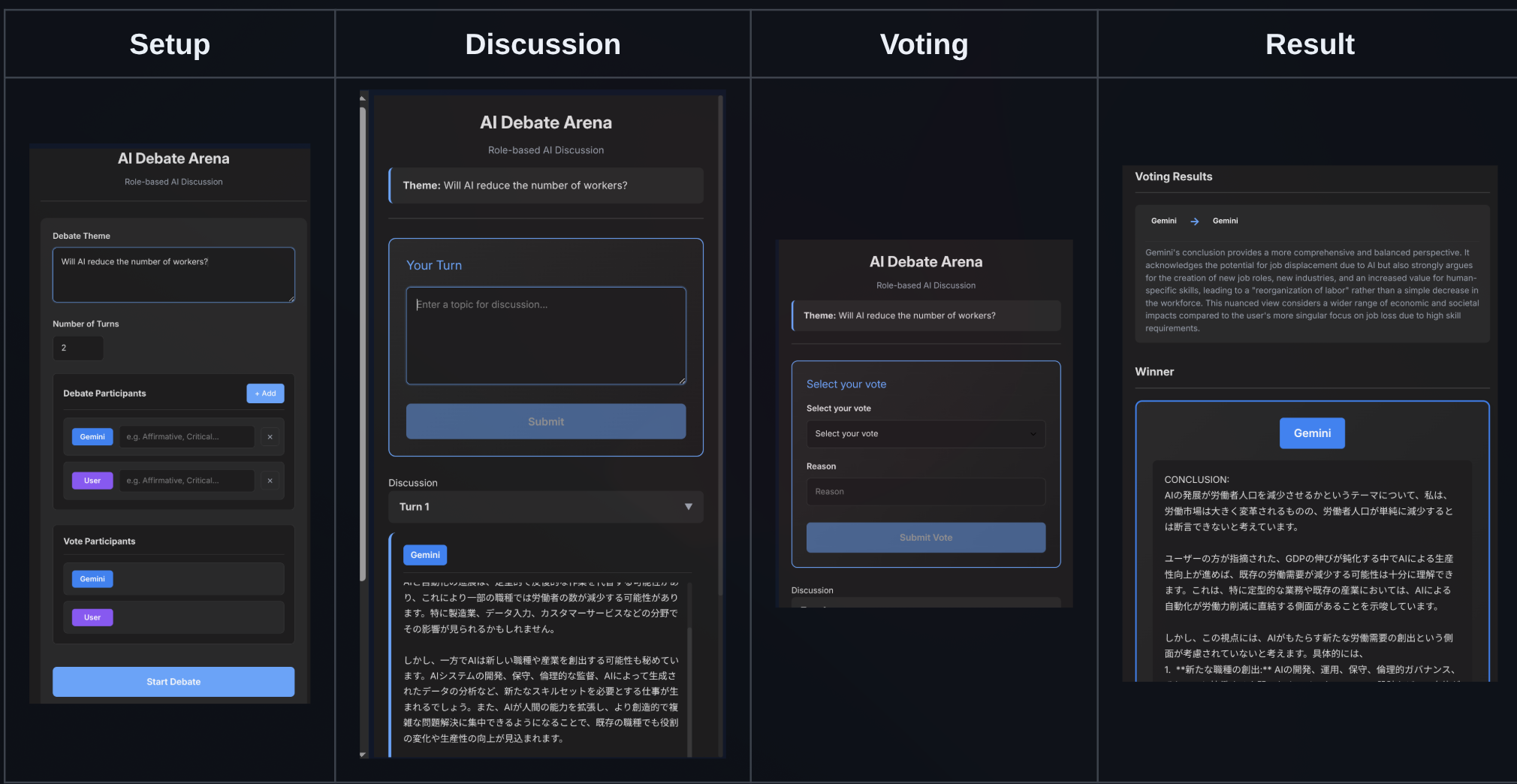
Ronginus
A debate plugin where multiple AIs discuss a topic from different perspectives. You can also join as a debater.
Install from Settings > Plugins with: takeshy/hub-ronginus
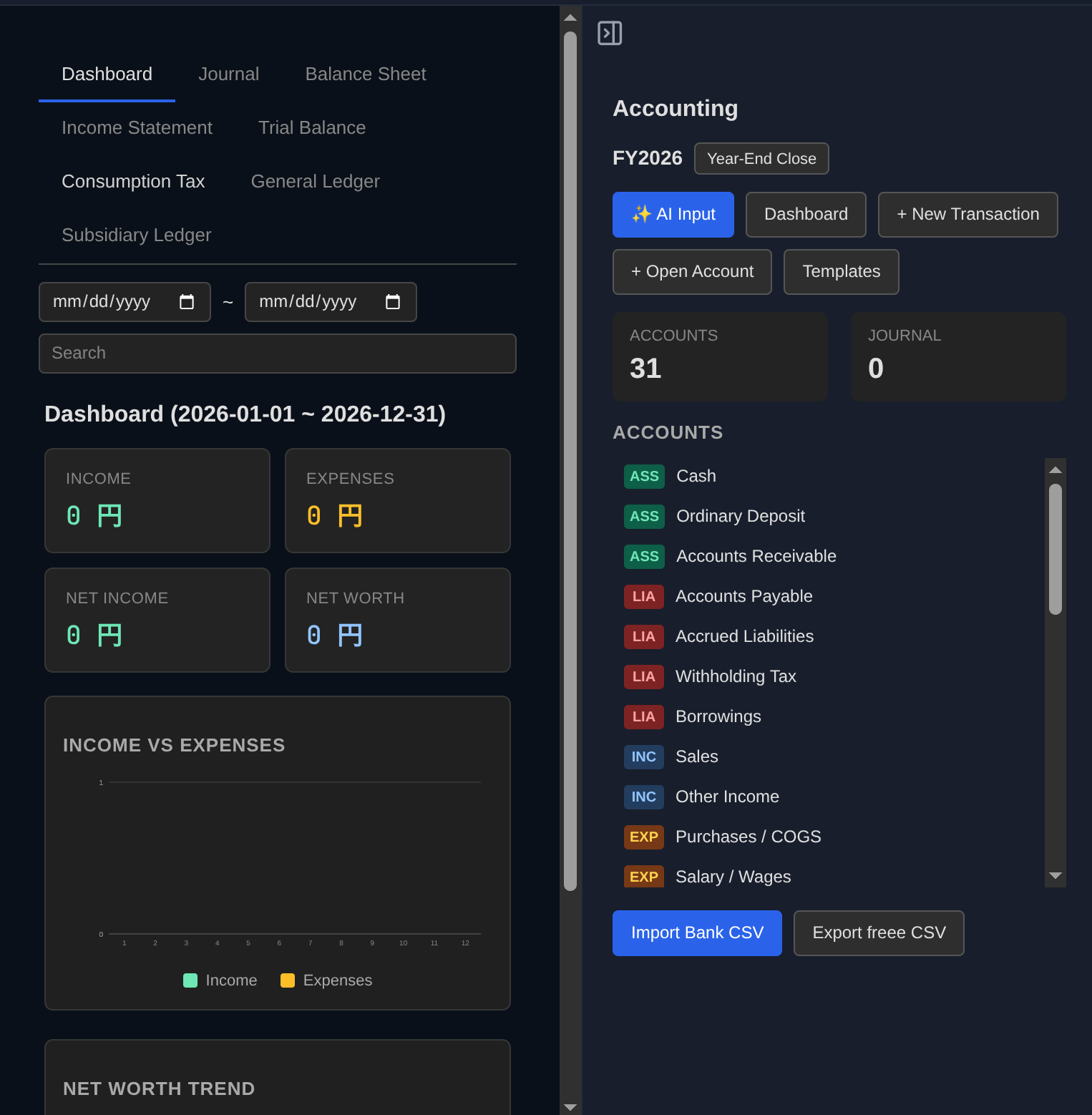
Accounting
Beancount-format double-entry bookkeeping. Manage accounts, record transactions, and generate balance sheets and income statements — all in plain text on Drive.
Install from Settings > Plugins with: takeshy/hub-accounting
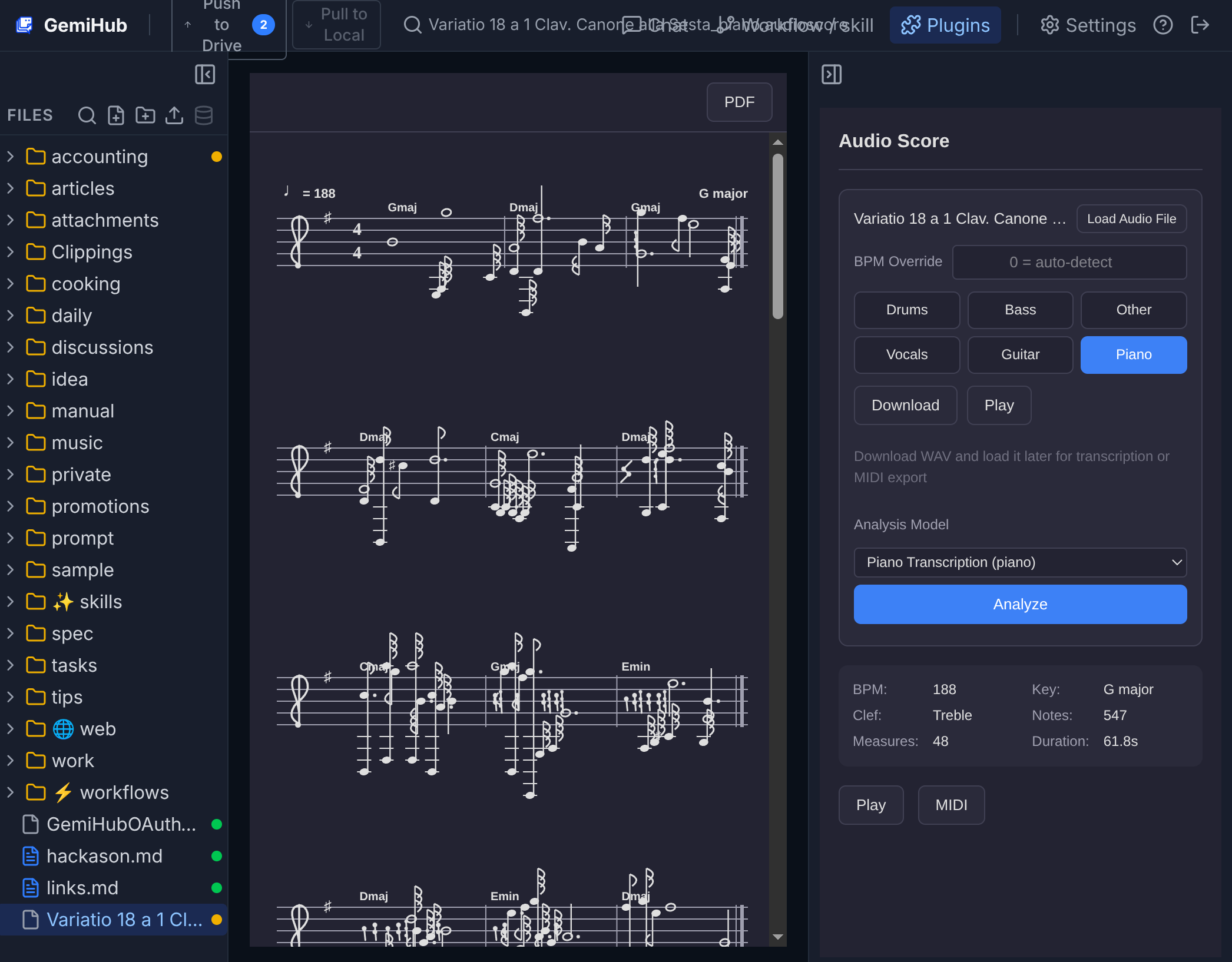
Audio Score
Convert audio files into sheet music with ML-based pitch detection. Source separation, MIDI export, score playback, and AI chord analysis.
Install from Settings > Plugins with: takeshy/hub-audio-score
How We Handle Your Data
GemiHub uses your Google account to sign in. Here's what we access and why:
Google Account
Your Google account is used only for authentication. Your name and email are not stored or displayed.
Google Drive
Chat history, workflows, and settings are stored in a dedicated "gemihub" folder on your Drive. Files outside the app are never accessed.
No Third-Party Sharing
Your data is never sold or shared. Everything stays in your own Google Drive.
Fully Portable
No database — all data lives in your Drive. If this service shuts down, just run your own instance and everything is right where you left it.
Business organizations are the one exception: shared project files live in GemiHub's managed cloud storage, with the organization, project, and member records kept in Firestore, so a team can work on the same files. Your personal Drive keeps working exactly as before, and files can be copied between the two at any time.
Learn more in our Privacy Policy